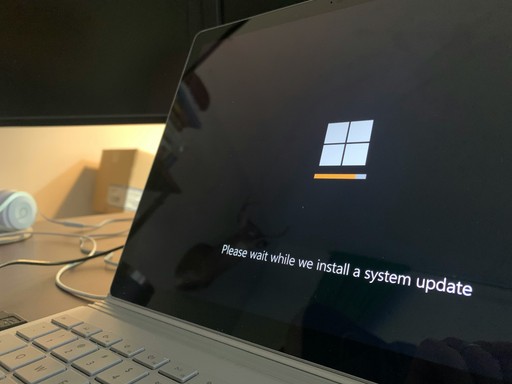
The Cloud Path Beyond Windows 10
22.04.2026
How moving to the cloud simplifies the transition from Windows 10 while enabling companies to build a secure and cost-efficient IT infrastructure — without expensive hardware purchases or complex system migrations.
The Upcoming End of Windows 10 — and Its Consequences for Business Customers
For many, this announcement was far from welcome news: Microsoft announced in February 2025 that support for Windows 10 will soon come to an end. At the end of September, the company confirmed that private users may continue using Windows 10 free of charge until October 2026. Business customers, however, must pay approximately USD 60 for so-called Extended Security Updates to prolong support.
In practical terms, this means that from October 2025 onward, no free software updates or security patches will be delivered via Windows Update. While PCs will continue to function after support officially ends in autumn 2026, organizations that want to avoid security risks will be forced to migrate to Windows 11 in the near future.
The Upgrade Is Free — Problem Solved?
The Challenges of Migrating to Windows 11 — and Why It Can Become Expensive
Windows 11 system requirements present a significant obstacle for many existing computers. The upgrade requires devices to support version 2.0 of the Trusted Platform Module (TPM), which is used for several security features, including the well-known Windows Hello identity protection.
A quick look into system settings reveals whether this module is available. If it is, upgrading to Windows 11 is straightforward. If not, the outlook is less promising.
In practice, missing TPM support often marks the end of a device’s lifecycle. With Windows 10 support ending, many PCs must be retired to avoid security vulnerabilities.
This occurs at a time when cyber risks and attacks are increasing almost daily. (read for more information this other blog article) While purchasing a new PC may not pose a major challenge for private users, it can represent a considerable financial burden for SMEs. The larger the workforce, the higher the investment required.
For example, a new HP all-in-one PC with a 27-inch display costs around CHF 1,300 at Digitec, while a Lenovo ThinkPad with an Intel Core i5 processor and 16 GB RAM costs approximately CHF 850. Multiplied across 20 employees, the investment quickly becomes substantial.
Why Virtual Machines Enable a Secure, Flexible, and Controlled Transition to Windows 11
Given the upcoming migration, virtual machines (VMs) offer numerous advantages for making the transition to Windows 11 smoother.
Virtual machines allow Windows 10 and Windows 11 to run simultaneously. This enables organizations to test and configure the new system while legacy applications continue operating under Windows 10. As a result, workflow interruptions are avoided and security risks are minimized. The transition to the new operating system can therefore take place gradually and in a controlled manner.
Perhaps the greatest advantage of virtual machines is their cost efficiency: instead of discarding older PCs that are incompatible with Windows 11, companies can continue using existing hardware while running powerful virtual machines capable of operating Windows 11 without issues.
What Is Cloud Computing — and What Are Virtual Machines?
Virtual machines are essentially software-based computers. They run on a host system and use virtualization technology to simulate the functionality of a physical computer. Each VM has its own operating system and applications, creating an isolated environment within the host system.
This means multiple virtual machines can run simultaneously on a single physical device — each behaving as if it were an independent computer.
Virtualization itself is not a new concept. It originated in the 1960s for mainframe computers and has evolved significantly since then. Today, it is widely used in server, desktop, and storage virtualization. This flexibility and efficiency are among the greatest advantages of virtual machines in corporate environments.
At its core, a virtual machine is a software-based simulation of a physical computer capable of running its own operating system and applications. Instead of relying on dedicated hardware, it uses the resources of a host system — and this is where virtualization creates real value.
Key Advantages of Virtual Machines for Businesses
Why should companies use virtual machines? Several compelling reasons stand out:
Cost efficiency: Running multiple VMs on a single hardware system allows companies to maximize IT investments and reduce both hardware and maintenance costs.
Flexibility: VMs enable testing new applications, running different operating systems, or simulating network environments — all without additional physical machines.
Scalability: As a company grows, additional computing power can easily be provided by creating new VMs, making scaling simple and cost-effective.
Disaster recovery: VMs are easier to back up and restore than physical computers because they essentially consist of files. This ensures business continuity even during hardware failures or disruptions.
Challenges of Cloud Computing
Despite its many advantages, cloud computing also presents several challenges:
Security risks: Vulnerabilities at the host level may affect cyber and data security. Organizations should therefore carefully evaluate cloud providers and choose trusted partners.
Licensing: Operating systems and applications in the cloud must be correctly licensed. Microsoft regularly conducts audits to verify Windows license compliance, making it essential to clarify licensing responsibilities beforehand.
Backup management: Insufficient backup strategies can lead to downtime during emergencies. Reputable providers such as Rise ensure professional backup systems.
Vendor dependency: Cloud computing creates a certain dependence on the provider. Partnering with an established vendor helps ensure reliable and smooth operations.
Hardware compatibility: Usually not an issue; however, extremely graphics-intensive workloads may push some workstations to their limits. Experienced providers can assist in selecting the right cloud PC.
Internet connectivity: A fast and stable internet connection is essential. Weak connectivity can negatively affect cloud PC performance, although ongoing fiber-optic expansion is steadily reducing this concern.
How to Successfully Migrate to Cloud PCs
These three simple tips help ensure a smooth transition to cloud computing:
Choose the right provider: Selecting a professional cloud partner is the most important factor for a stress-free migration. Ideally, organizations should be able to test cloud PCs risk-free beforehand.
Use professional consulting: Experienced providers support the setup process and ensure existing infrastructure is optimally prepared for cloud environments.
Check internet speed: Conducting an internet speed test beforehand ensures organizations can fully benefit from cloud PCs.
Conclusion
The upcoming end of Windows 10 presents an ideal opportunity to transition to cloud computing and avoid costly hardware investments.
Virtual machines offer companies numerous advantages for improving operational efficiency while adapting to ongoing technological change. By decoupling physical hardware from operating systems, organizations gain flexibility and independence — leading not only to better resource utilization but also significantly lower operating costs.
Moreover, VMs enable standardized management and deployment of applications across different IT environments, improving stability, security, and consistency.
Whether used for testing environments, modernizing legacy systems, or developing new applications, virtual machines provide a secure space for innovation and maintenance without disrupting ongoing operations. They are scalable, versatile, and adaptable to organization-specific requirements.
In this way, virtual machines and cloud computing strengthen not only a company’s technological foundation but also its capacity for innovation and long-term future readiness.